اکسل تقویم
INTRODUCTION TO EXCEL CALENDAR
Excel, a powerful spreadsheet application, offers a myriad of features. One of its most intriguing capabilities is creating a calendar. This functionality allows users to track dates, plan events, and organize tasks efficiently.
CREATING A BASIC CALENDAR
To create a calendar in Excel, follow these steps:
- Open a New Workbook: Launch Excel and open a blank workbook.
- Set Up Your Layout: Merge cells to form a grid that resembles a calendar layout. Typically, you might use a 7-column setup for the days of the week.
- Input Days: Start with the first day of the month. For example, if the month starts on a Wednesday, place "1" in the corresponding cell.
- Continue Numbering: Fill in the subsequent days sequentially across the grid until you reach the end of the month.
FORMATTING YOUR CALENDAR
Formatting enhances the visual appeal. Here are some tips:
- Adjust Cell Sizes: Make cells square for a traditional calendar look.
- Add Colors: Use fill colors to distinguish weekends from weekdays. This creates a more engaging look.
- Include Borders: Apply borders to cells to separate days clearly.
USING FUNCTIONS FOR DYNAMIC CALENDARS
Excel allows for dynamic calendars using functions like `EDATE` and `EOMONTH`.
- EDATE Function: This function helps to calculate the date after a specific number of months.
- EOMONTH Function: This can be used to find the last day of the month, which is particularly useful for month-end calculations.
ADVANCED CALENDAR FEATURES
For more sophisticated calendars, consider using:
- Event Tracking: Incorporate additional columns for notes or events. This feature is essential for project management.
- Conditional Formatting: Use conditional formatting to highlight important dates. For example, birthdays or deadlines can stand out.
CONCLUSION
In conclusion, Excel serves as a versatile tool for creating calendars. By utilizing its formatting features and functions, you can design a calendar that meets your needs. Whether for personal use or professional tasks, mastering Excel calendars can significantly enhance your organizational skills.
Feel free to explore these features and create a calendar that works for you!توضیح درباره دیتابیس تقویم 1403
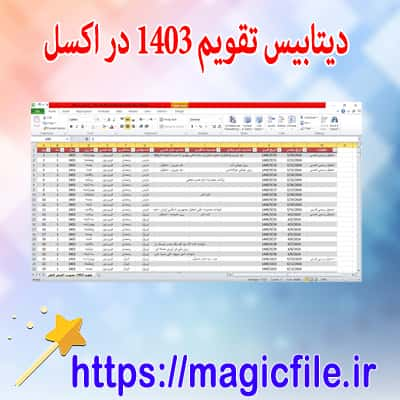
دیتابیس تقویم 1403 بهصورت اکسل یک ابزار مفید و کارآمد است که به شما کمک میکند تا برنامهریزیهای خود را بهراحتی انجام دهید. این دیتابیس شامل تمامی تاریخها، مناسبتها و تعطیلات رسمی سال 1403 است.
با استفاده از این فایل، شما میتوانید به سادگی تاریخها را مدیریت کنید. بهعلاوه، امکان اضافه کردن یادداشتها و برنامههای شخصی نیز وجود دارد. این ویژگی، باعث میشود که همه اطلاعات مهم در یک مکان متمرکز باشند.
مزایای استفاده از دیتابیس تقویم
استفاده از این دیتابیس چندین مزیت دارد. اول، قابلیت جستجو و فیلتر کردن اطلاعات به شما کمک میکند تا به سرعت به تاریخهای موردنظر دسترسی پیدا کنید. دوم، امکان بهروز رسانی آسان اطلاعات به شما این اطمینان را میدهد که همیشه اطلاعات دقیق را در اختیار دارید.
همچنین، طراحی کاربرپسند این فایل اکسل به شما اجازه میدهد تا بدون نیاز به دانش فنی خاصی، از آن بهرهبرداری کنید. این موضوع مخصوصا برای افرادی که به دنبال یک راهحل ساده و سریع برای مدیریت زمان خود هستند، بسیار حائز اهمیت است.
در نهایت، این دیتابیس به شما کمک میکند تا برنامهریزیهای خود را بهبود ببخشید و از زمان خود به بهترین شکل ممکن استفاده کنید. بهاینترتیب، با استفاده از این ابزار، میتوانید در زندگی روزمره خود سازماندهی بهتری داشته باشید.
باکس دانلود (اکسل تقویم)
دانلود
پیشنهاد برای دانلود ( اکسل تقویم )

نظرات کاربران (۳)
مریم احمدی
عالی بود .. با تشکر